Move and Delete Features within Datasets
How to select, move, and delete individual features (points) within a dataset using the edit dataset tool.
You can delete and/or move features within datasets in myEV.
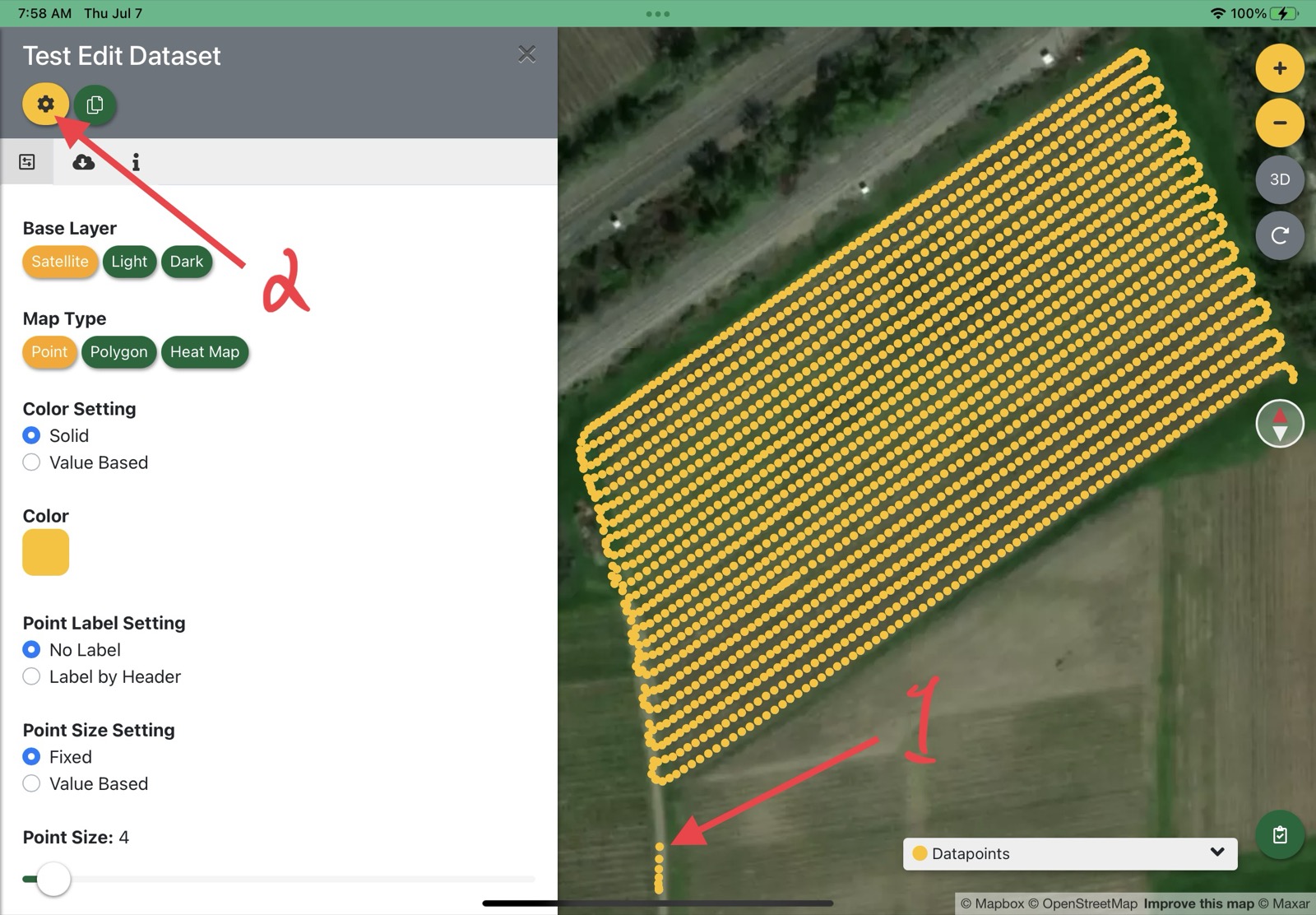
In the image above you’ll notice some trailing datapoints at position 1. To move or delete these features, click the ‘edit dataset’ button at position 2.
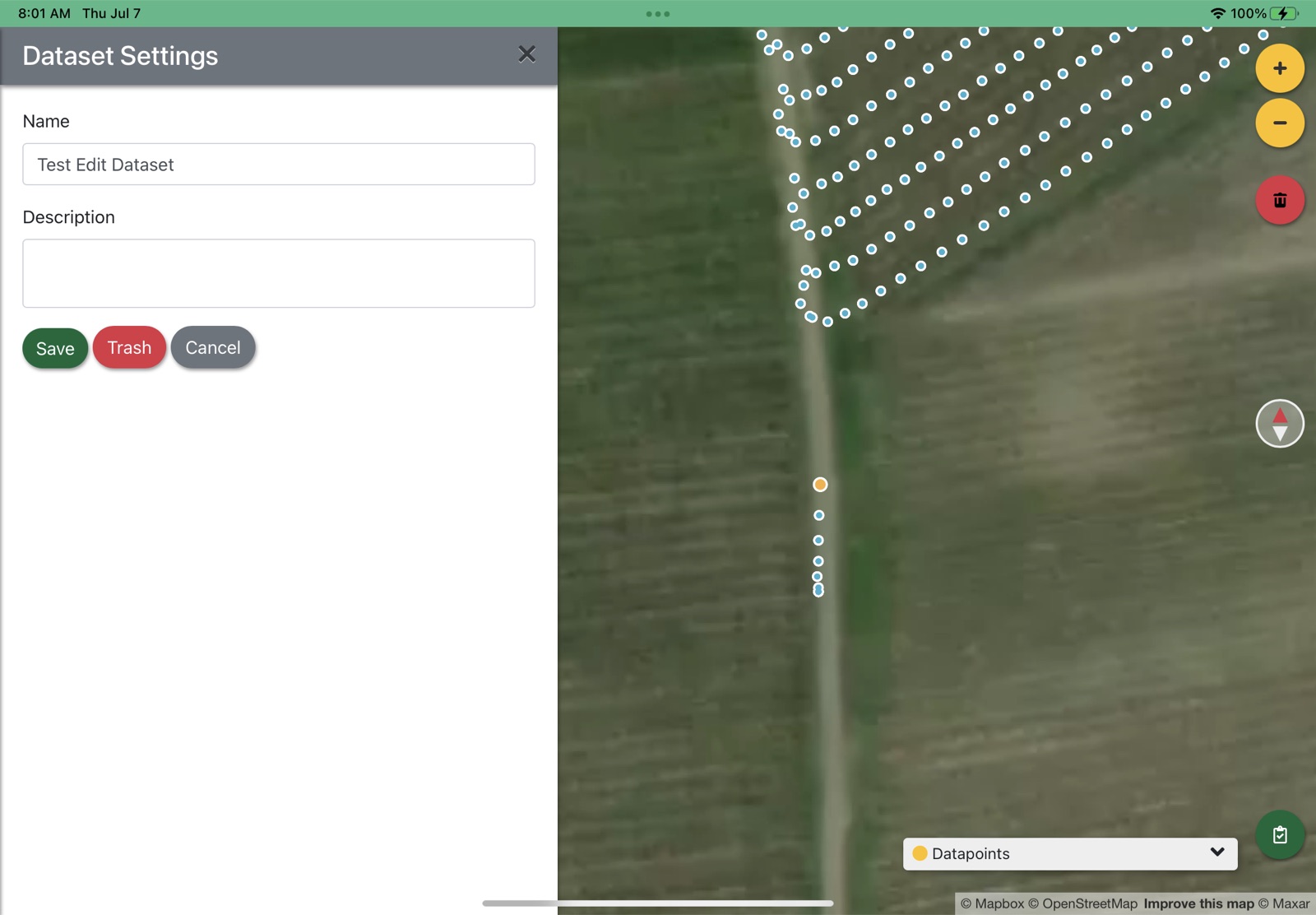
You can single-click on any point to select it.
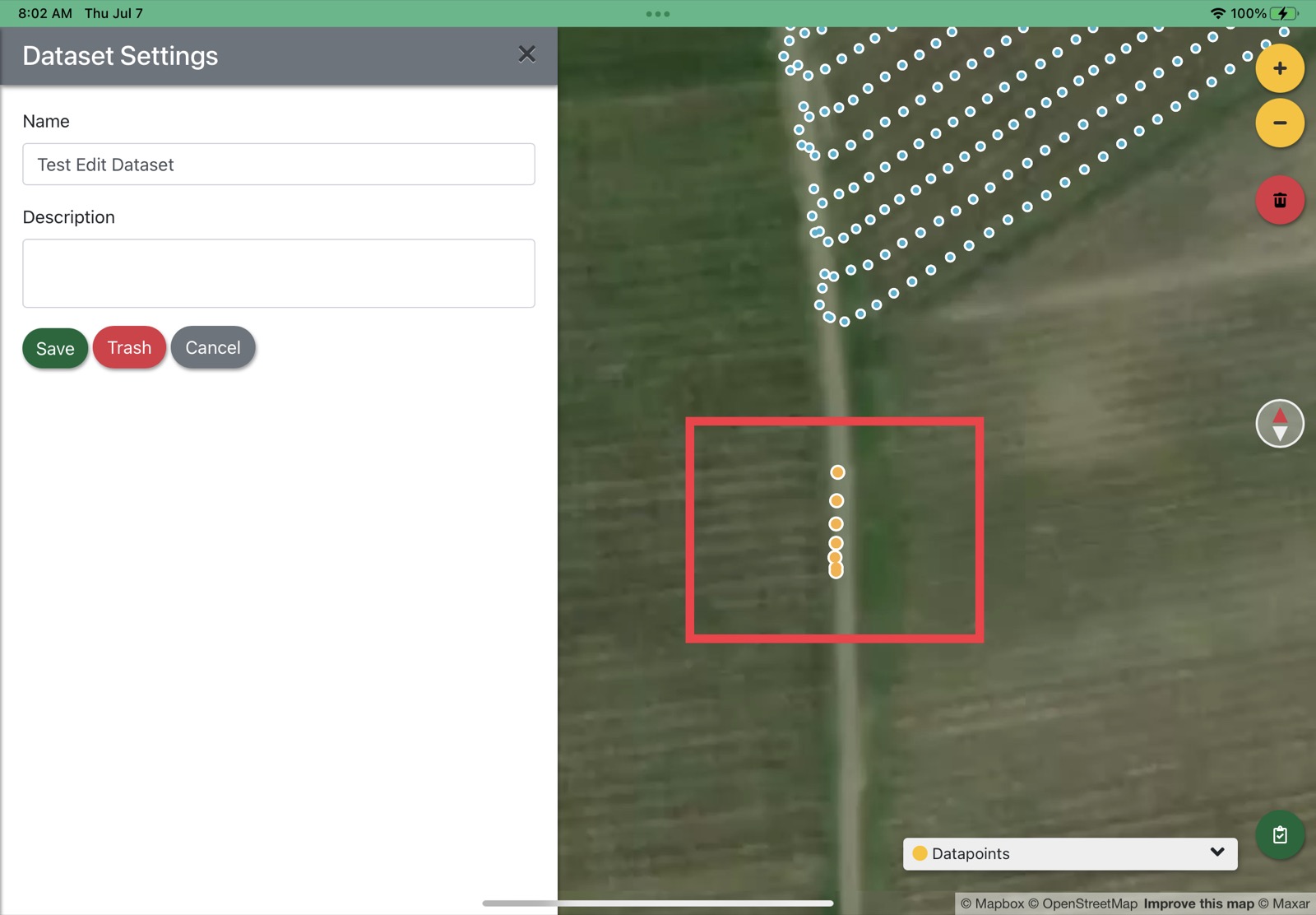
Or, you may hold ‘Shift’ on your keyboard and click/drag across many points to select them.
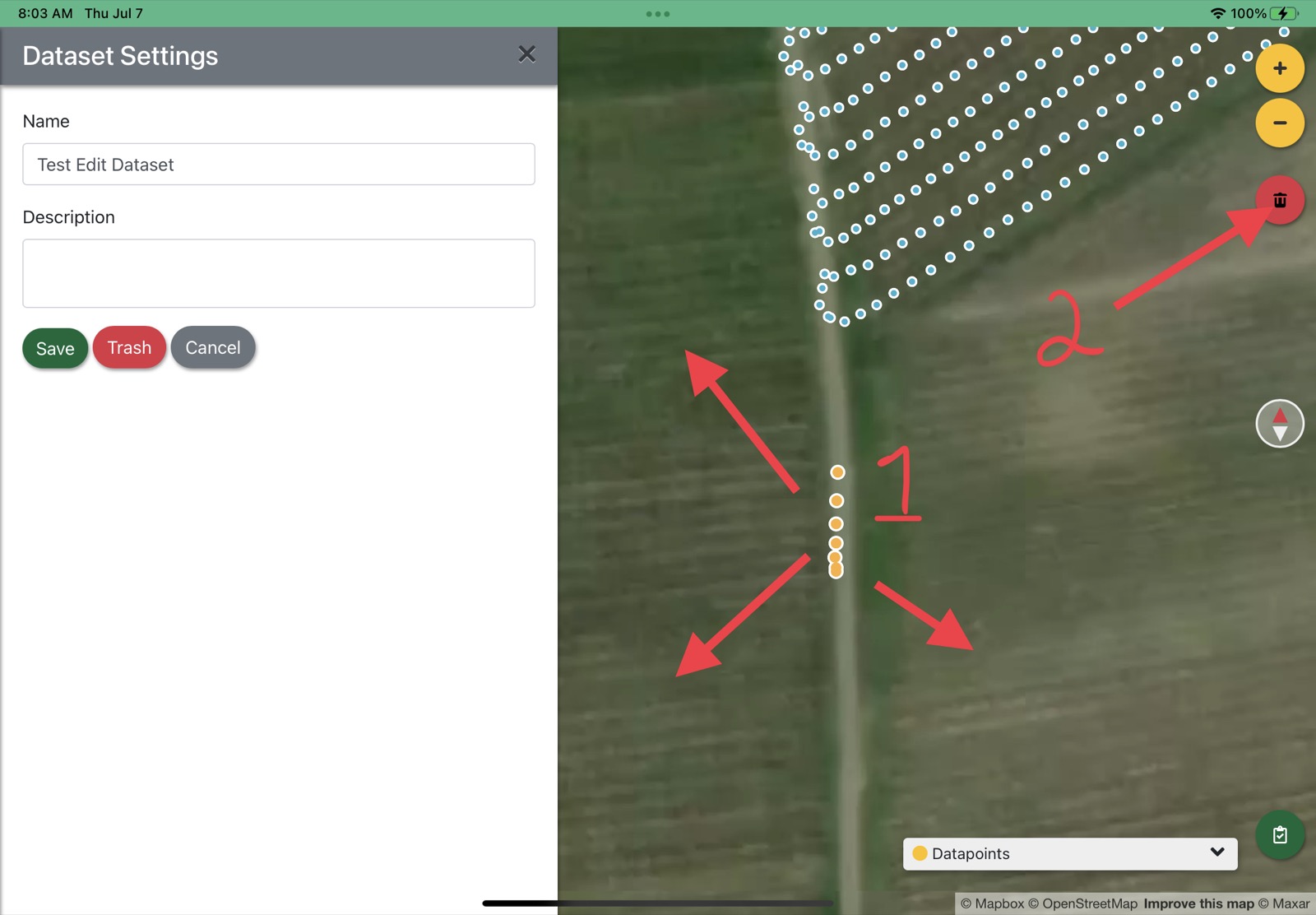
Once one or more points are selected, you may move them by clicking and dragging them (1) or delete them using the delete button (2).
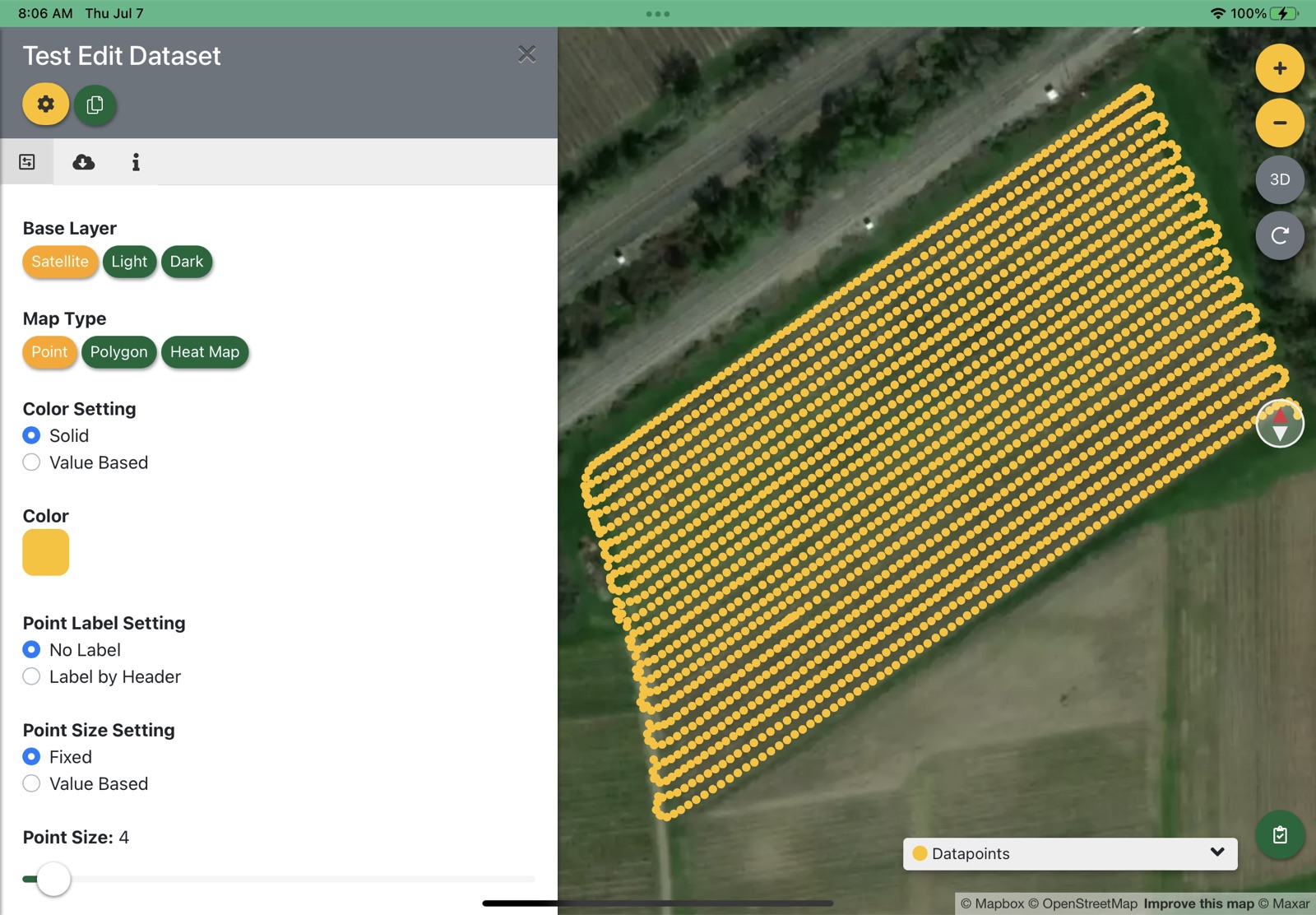
When you are finished editing your points, save the dataset. The dataset will be re-processed with your changes on the server and reloaded.
Updated
Something missing or out of date? Tell us — the docs are updated with every release.