Delete a Block
Step-by-step instructions for deleting a block from your Every.Farm farm.
Follow these steps to delete a block from your Every.Farm farm.
Select your block. You may have to click the ‘Refresh Farm’ button to see your blocks.
Click ‘Block Settings’.
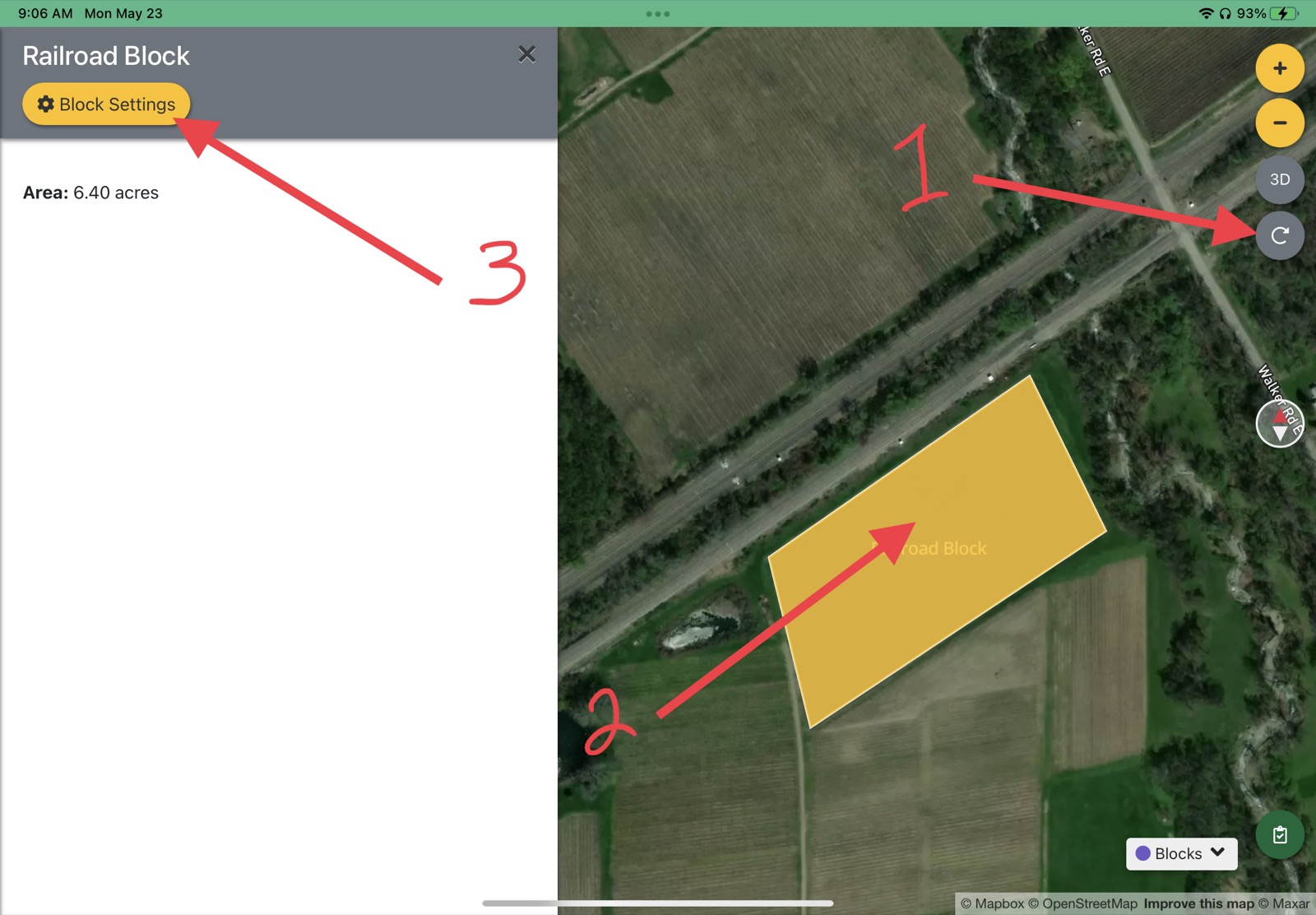
Block Settings Click ‘Delete’ and ‘Yes’ on the warning prompt. Your farm blocks will take a few moments to recompile.
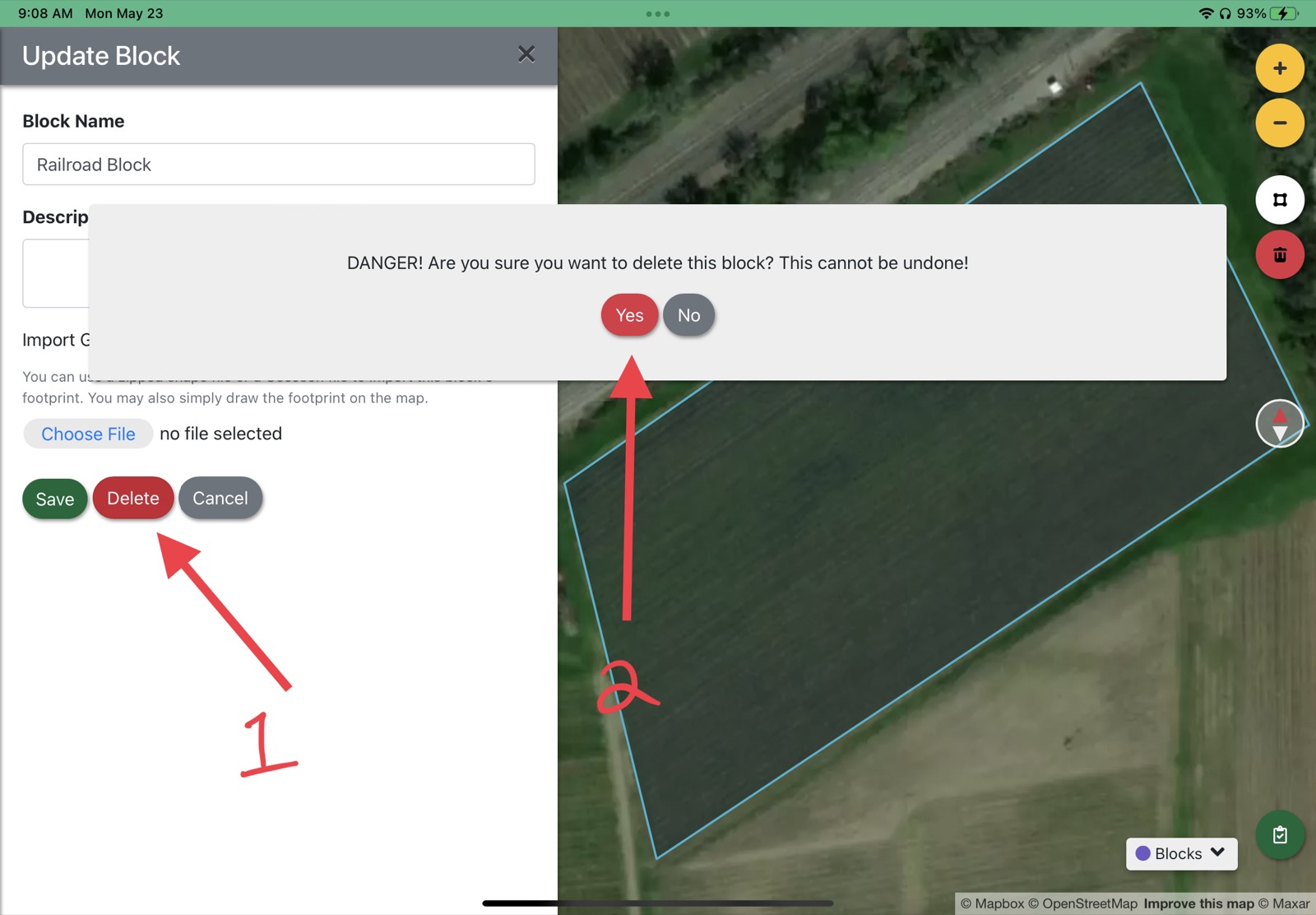
Delete block confirmation
Updated
Something missing or out of date? Tell us — the docs are updated with every release.