Visualize Block Data
How to color and label farm blocks by header values using the farm settings drawer.
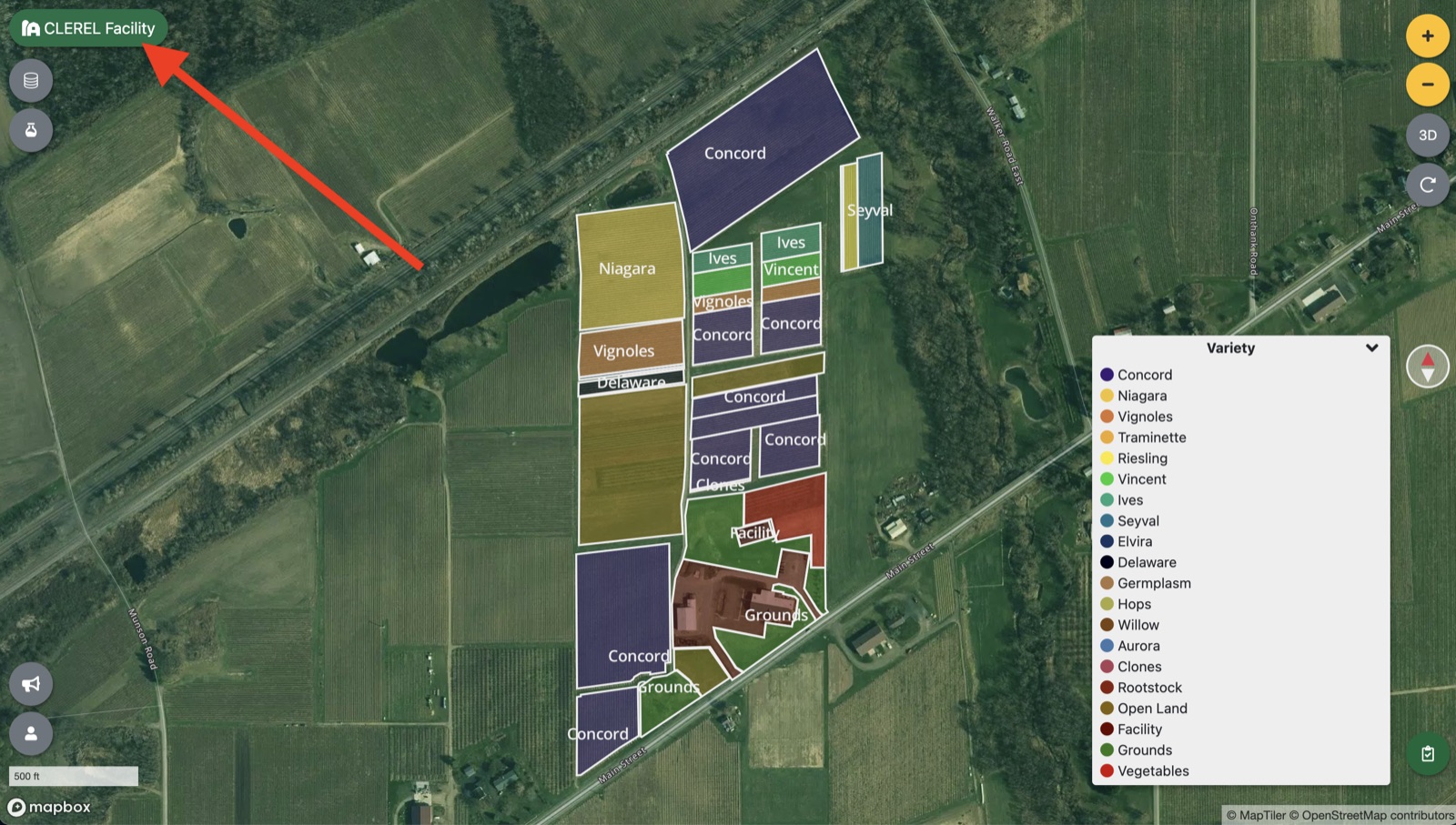
To visualize blocks in your farm, simply click on your farm settings drawer:
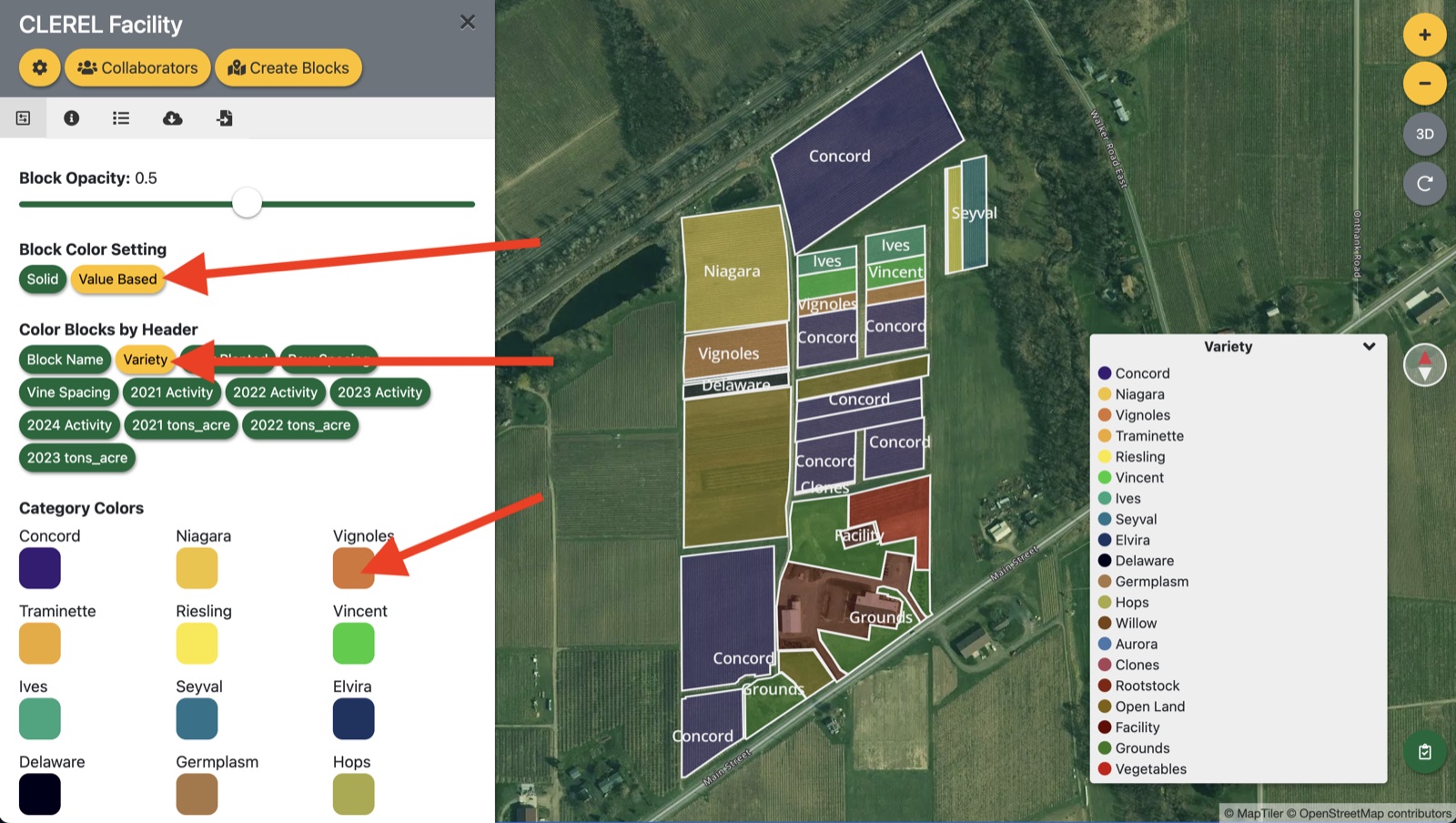
To color blocks, click ‘Value Based’ under ‘Block Color Setting’. Then select a header that you would like to use to color these blocks under ‘Color Blocks by Header’. You will then see additional options for coloring based on the data type found in that header:
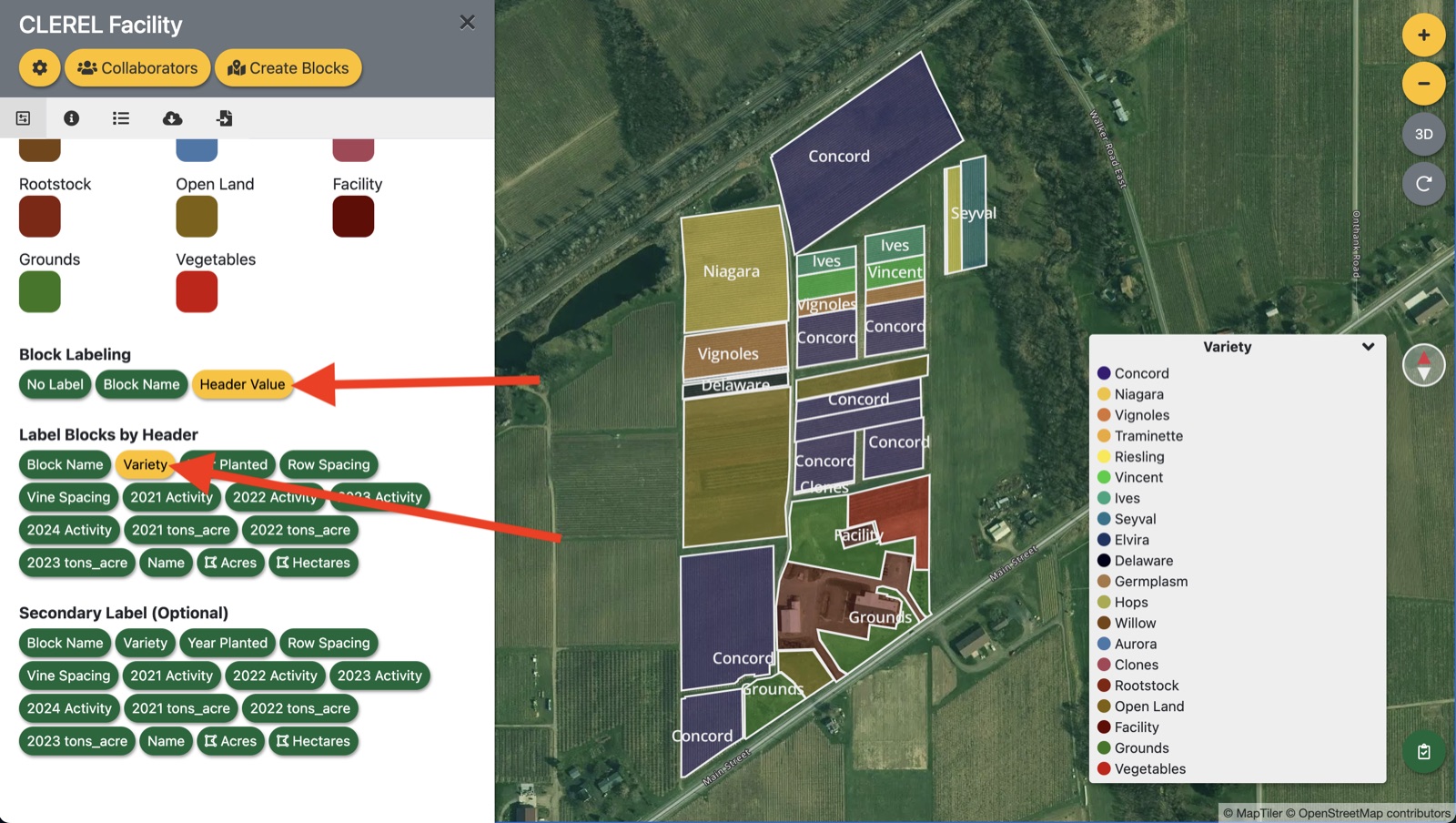
There are additional options for labeling blocks below the color options that work in a similar fashion:
Updated
Something missing or out of date? Tell us — the docs are updated with every release.